Navigation :
Installing root certificate authority in Firefox (Windows)
-
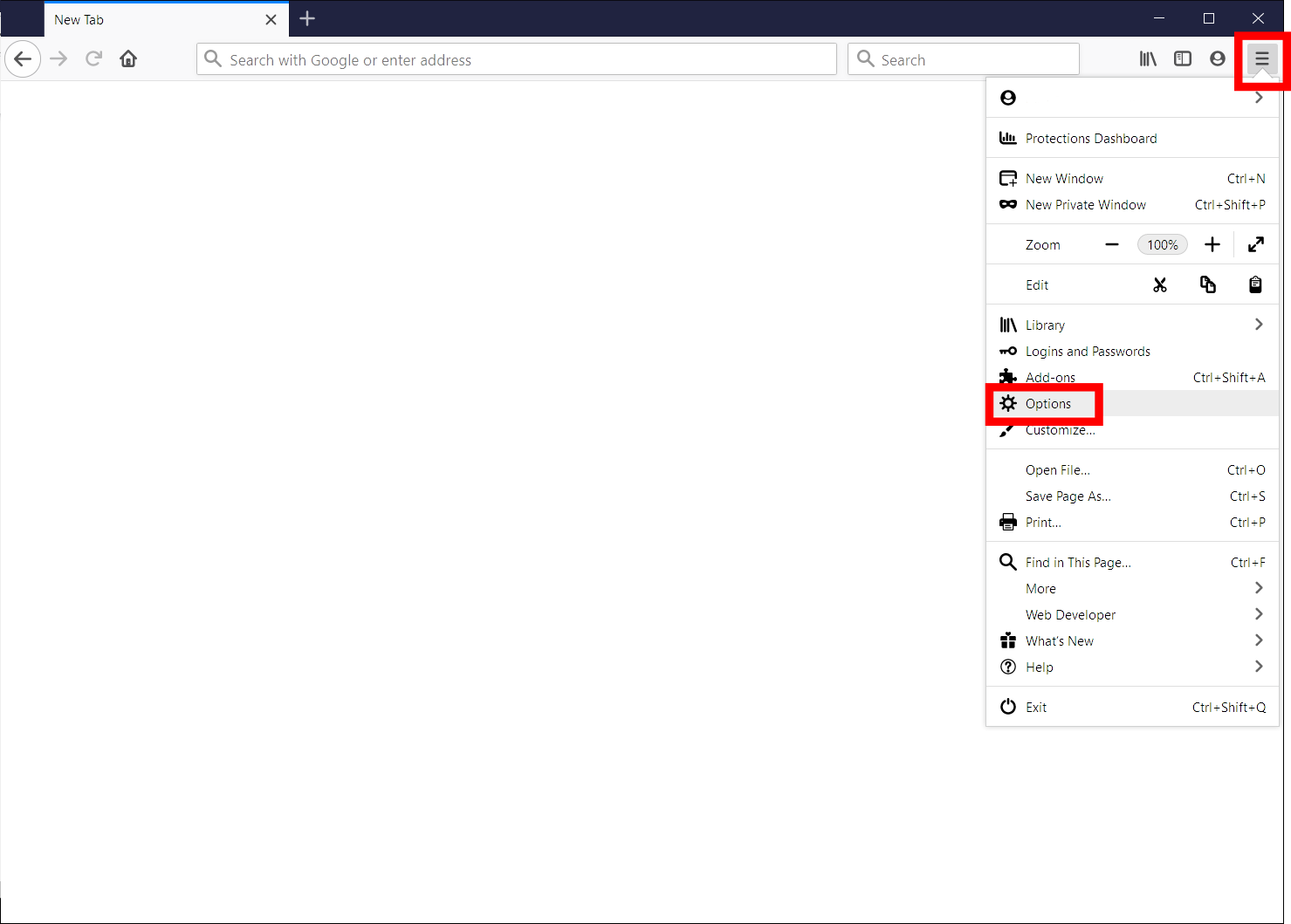
Open the Options window.
-
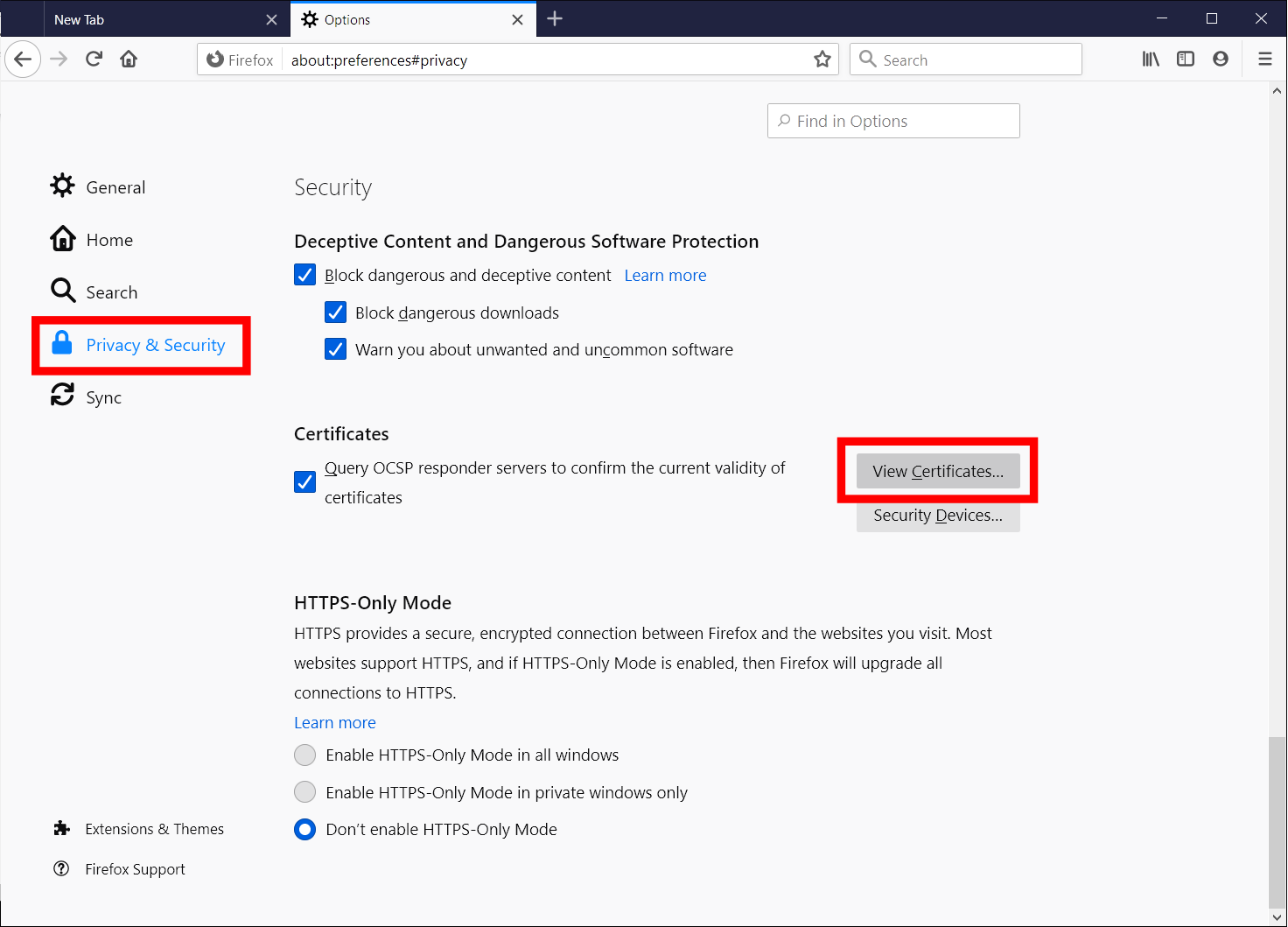
Select Privacy & Security in the menu on the left side, scroll to the bottom and click the View Certificates… button.
-
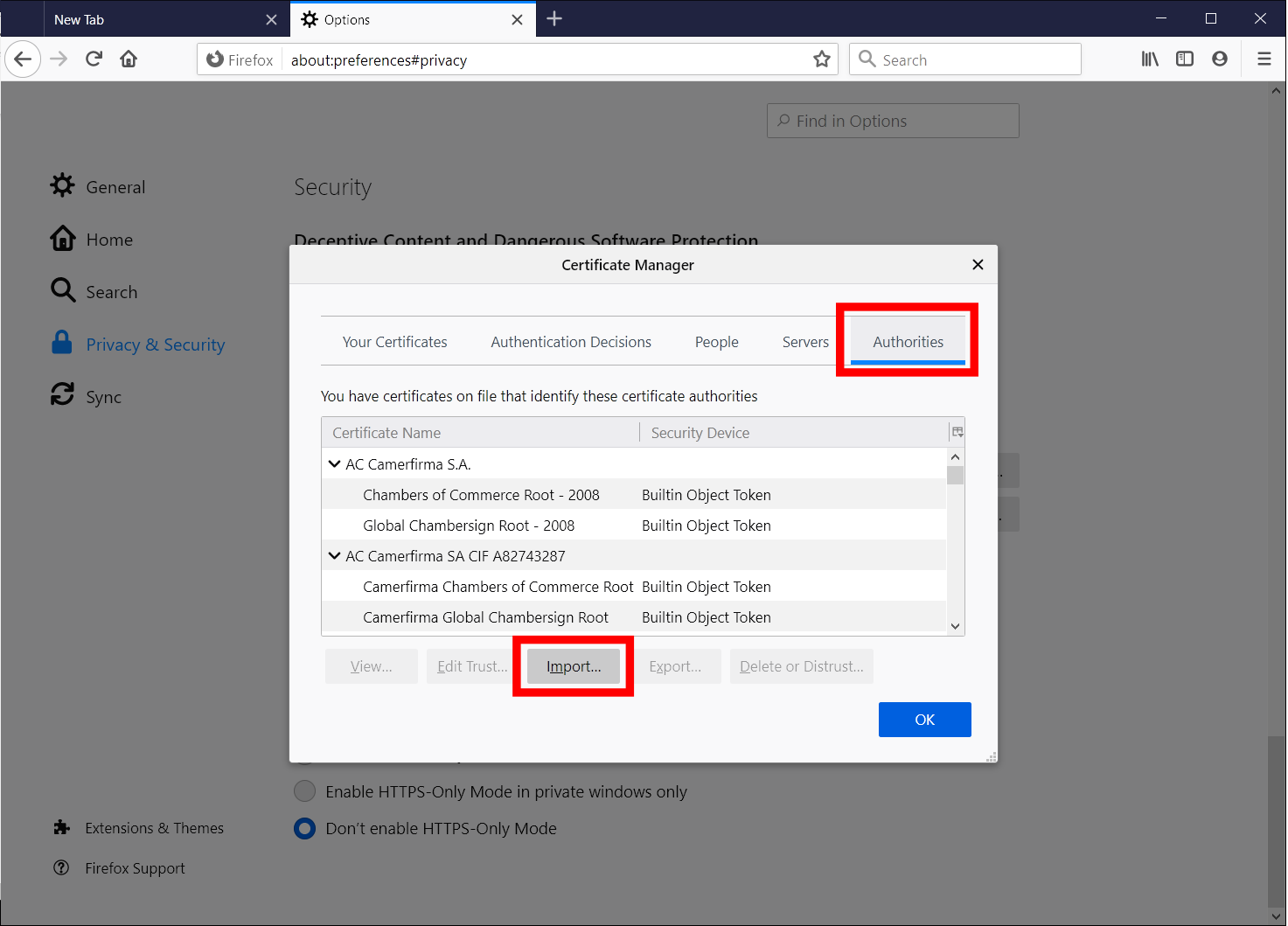
Select the Authorities tab and click the Import… button.
-
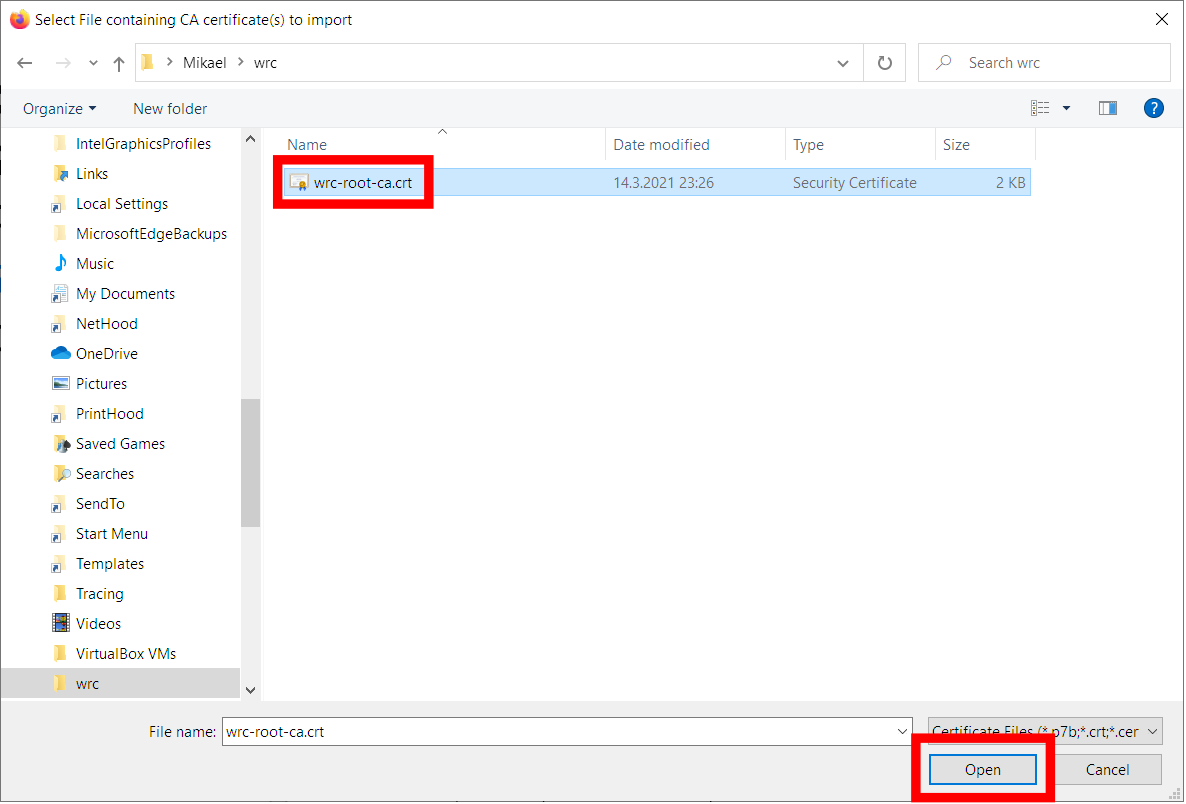
Find the certificate file named wrc-root-ca.crt you previously downloaded, select it and click the Open button.
-
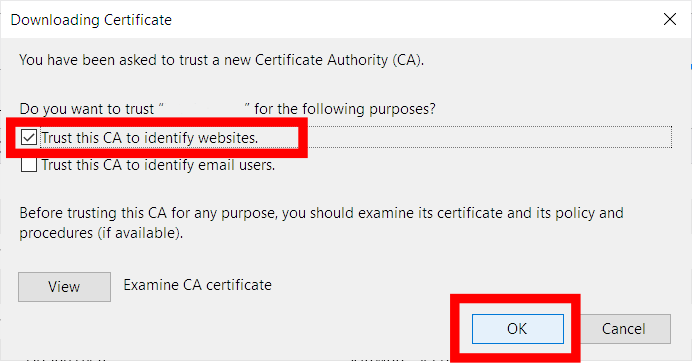
Check the Trust this CA to identify websites option and click the OK button to install the certificate.